Choose binaural beats or AM, generated on your device in real time. Shape binaural pulses with Phase Sync and balance carrier and background volumes separately, creating sound that fits the way you work or study.
Binaural beats use a difference between the ears. AM varies the volume. Both create rhythm, but the mechanism—and how you listen—differs.
A frequency difference between ears
Selected sessions on FREE
Binaural beats
When slightly different tones reach each ear separately, their frequency difference can be perceived as a beat. Keeping the left and right sounds separate is the key.
A 10 Hz difference perceived as a beatExample: left 250 Hz / right 260 Hz
Stereo headphones or earbuds required
Changes in volume
Requires FULL
AM (amplitude modulation)
Choose one of six carrier tones; only that tone rises and falls in volume, at the same rhythm on both sides. Background audio is layered without AM modulation.
Hear the changes in volume themselvesOne carrier, the same volume rhythm on both sides
Works with speakers, headphones or earbuds
AM · FULL ACCESS
Choose rhythm and pitch separately.
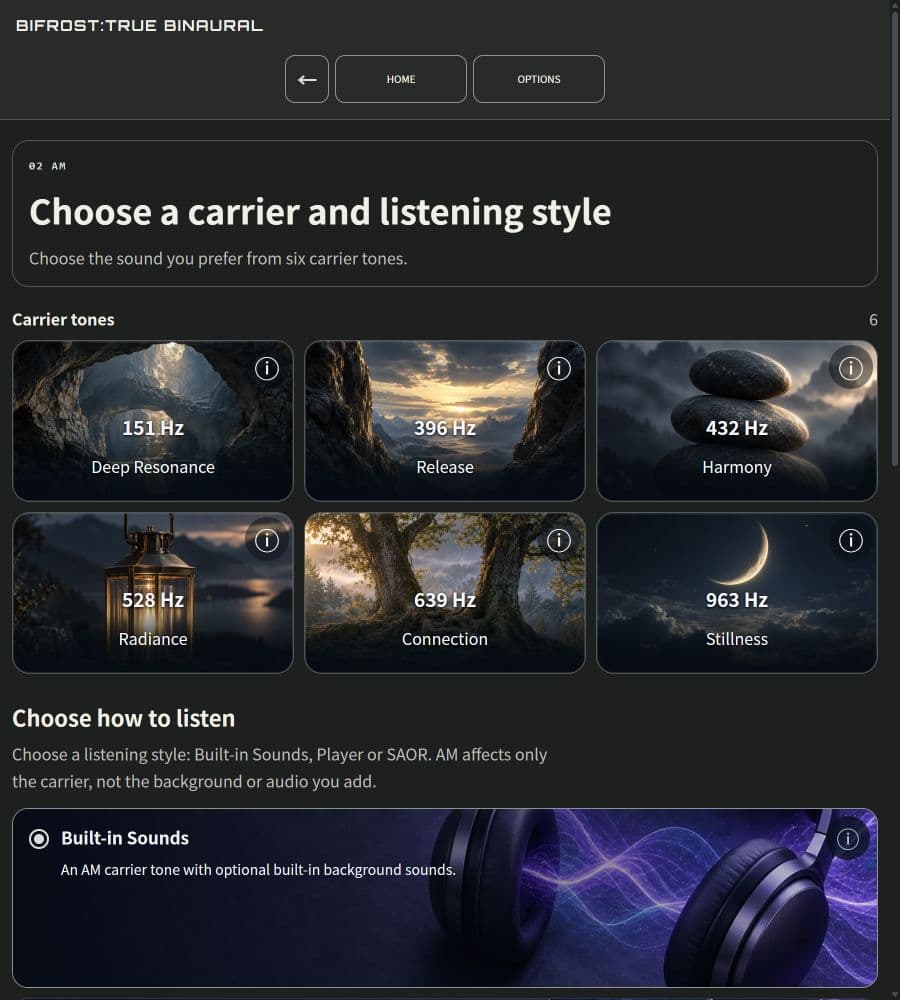
Find your preferred pulse and tone with four rhythms, three strength levels and six carriers: 151, 396, 432, 528, 639 and 963 Hz. AM changes the carrier’s volume only; the same AM is not applied to music layered with it.
These are conceptual diagrams, not app measurements or illustrations of health effects.
BIFROST is not a medical device and does not guarantee any particular effect. Start at a low volume for a short time.
PHASE SYNC
Align the frequency difference with the volume pulse.
Phase Sync matches the carrier’s volume-modulation cycle to the left–right frequency difference of binaural tones. It adds a shared modulation to both carriers.
Keep the same pitch and frequency difference while making the pulse subtler or clearer. Adjust the character of the modulation, not just the overall volume.
Cycle from the left–right difference
Carrier volume modulation
A conceptual diagram of two aligned cycles, not a measured waveform or brainwave recording.
Four levels, including Off
Off
Mild
Normal
Strong
Available with supported binaural settings. Not available in AM mode, certain programs or together with automatic carrier left–right switching.
This controls synchronization of audio signals. It does not measure or guarantee synchronization of brainwaves.
Care in every layer of sound.
Rhythm-producing tones are generated on your device in real time. Adjust their volume separately from the background to layer your preferred rhythm with familiar sounds.
Carrier first, background gently behind
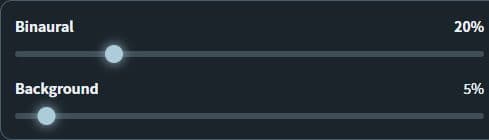
Keep the overall volume low, with the rhythm-producing carrier tones clearly audible. Layer pink noise or other backgrounds softly so they do not mask the carrier. Adjust each volume separately.
Actual volume settings before playback. Values shown are examples, not recommended listening levels.
Go beyond the built-in sounds
With FULL, Player layers audio files from your device. SAOR works with audio you permit a supported desktop browser to share.
Let the sound unfold over time
Studio with FULL offers programs whose carrier and left–right frequency difference change over time. Alongside steady tones, you can choose an evolving session.
DNEQ
Adjust the overlap before turning up the volume.
DNEQ dynamically reduces bands near the carrier in background audio brought into the app. It addresses overlapping bands instead of lowering the whole sound uniformly. For supported binaural settings, not AM.
LIVE MONITOR / CSV
Listen, and check what is running.
Check configured frequencies, spectrum and DSP status in the live monitor, and save a session as CSV if needed. Displays and logs concern internal app signals; they do not measure sound pressure at your ears or brainwaves.
Feature availability depends on the mode, audio source and plan.
Your sound, for moments like these.
01
Before writing or studying
Choose a focus or study purpose, then balance background and rhythm to accompany your work.
02
Between work and a break
At a stopping point, change the background or volume to suit what comes next.
03
When you want your familiar music
Open your music in Player with FULL and listen to it alongside BIFROST’s tones.
Explore the sound and desktop features+
Studio programs that change over time
The carrier and left/right frequency difference follow a program over time. Choose by its duration and progression. Studio requires FULL ACCESS.
Amplitude modulation (AM)
Binaural playback needs stereo headphones or earbuds. AM can be heard through speakers or earbuds. Carrier names do not establish frequency-specific health benefits. Choose a carrier at 151, 396, 432, 528, 639, or 963 Hz. AM pulses only that generated tone, with the same rhythm in both channels. Added backgrounds, audio files, and shared SAOR audio are not AM-modulated.
Actual PWA screens. What you see depends on the selected mode and device.
On your computer, bring your own sound.
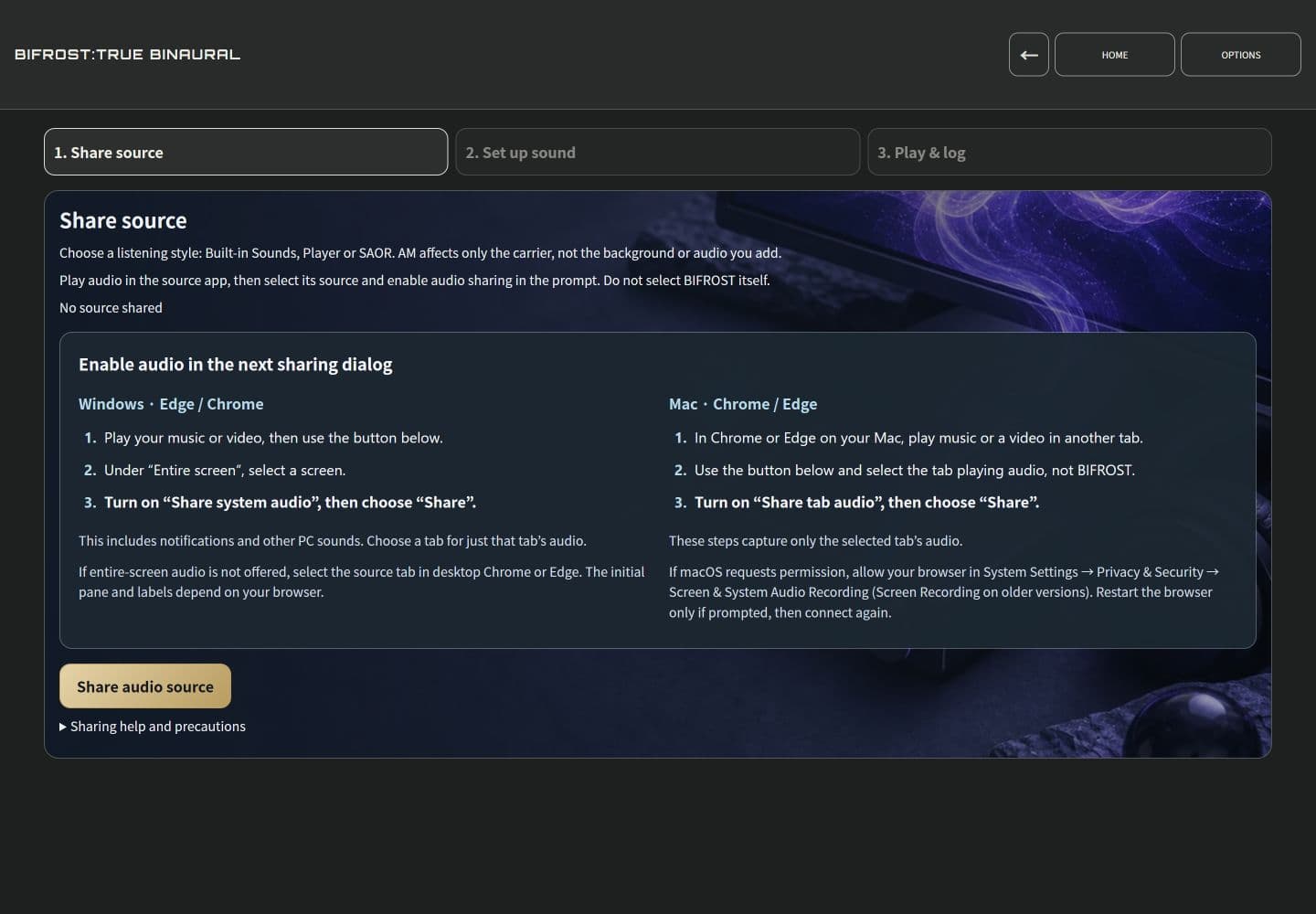
Player lets you layer audio files from your device. SAOR adds audio you have permitted a supported desktop browser to share. Audio sharing depends on your OS and browser. AM modulation applies only to the carrier.
Use the PWA in your browser. Player is available on phones; SAOR is for supported desktop browsers.
FULL ACCESS · Player / SAOR
Actual PWA screens. What you see depends on the selected mode and device.
Fine-tune the way you listen.
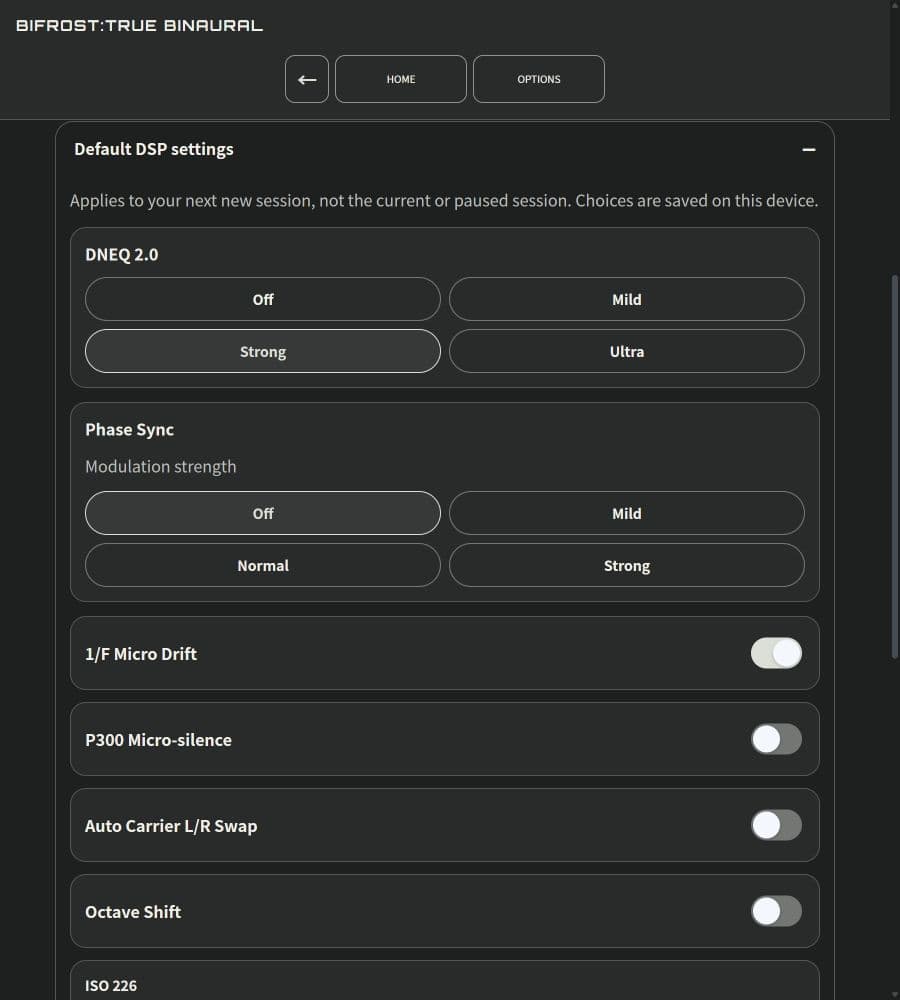
Adjust Phase Sync with Off, Mild, Normal or Strong, along with DNEQ and volume, right in the app. Available features depend on your mode and plan.
See the in-app sound as you adjust it
Inspect the set frequencies, PHASE's view of carrier movement, SPECTRUM's frequency content, and selected DSP settings and operating states.
Save a session log as CSV
Enable logging to save a timeline of frequencies, DSP states, and available in-app values, then export it as CSV. Unavailable measurements are not presented as measured facts.
Displays and logs cover the app's internal signal. They do not measure downstream OS or device processing, sound pressure at your ears, fit, brainwaves, or health effects.
Actual PWA screens. What you see depends on the selected mode and device.
How it works
Try the core listening experience, for free.
FREE includes focus, study, basic backgrounds and supported Phase Sync switching. Extended features such as AM, Player, SAOR and Studio require FULL.
Review the safety notice first. If Getting started appears, choose Start free. No account or trial is needed; you can skip options marked FULL.
01
Choose focus or study
Choose Binaural mode, then Deep focus or Ready to learn, both available on FREE.
02
Choose a background and duration
Try Built-in Sounds → Noise → Pink noise. Then check or change the session duration.
03
Play at a low volume
Connect stereo headphones or earbuds, set device and app volumes low, then press Play. Adjust carrier and background volumes separately. Press □ to stop.
Choose a background you like.
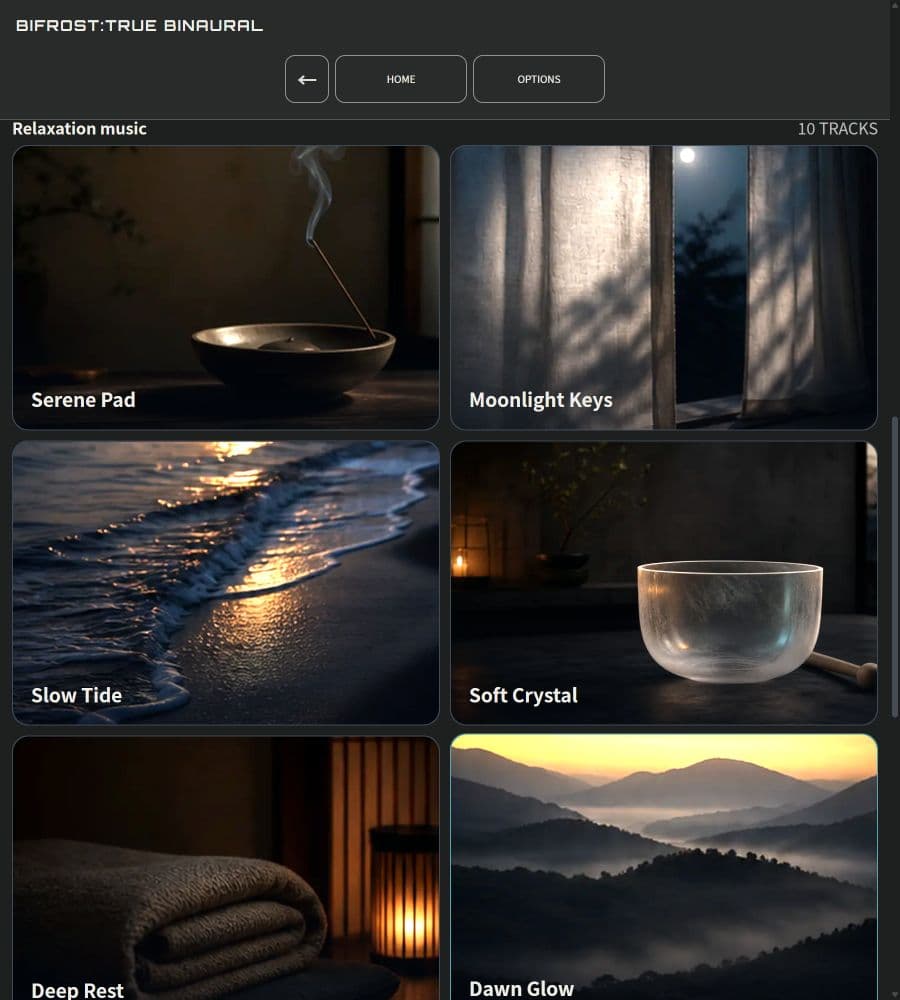
Built-in sound offers noise, environmental sounds and relaxation music. Pick an available background, or listen without one. Sources marked FULL require FULL; background and carrier volumes adjust separately.
Actual PWA screens. What you see depends on the selected mode and device.
Start with focus and study for free. Have stereo headphones or earbuds ready.
BIFROST is not a medical device and does not guarantee any particular effect. Start with a low volume and a short session.
PWA: no account or payment card. A safety notice appears on your first visit.
Windows at your desk. iOS in your hand.
The Windows PWA is available now. The iOS app is under App Store review, with public release planned.
A PWA is a web app you use in a browser. It works in supported computer and phone browsers, and you can add it as an app where supported.
Windows PWA
Use the PWA on a Windows PC. Try FREE in your browser, or add it as an app where supported. SAOR shares audio you permit a supported desktop browser to capture.
PWA available · Microsoft Store version in preparation
In the PWA, after signing in, confirm the start of your 5-day FULL trial. No payment card is required, and the trial leads to no automatic charge.
Frequently asked questions
In the PWA, how is FREE different from the 5-day FULL trial?+
FREE lets you start with basic focus and study features without an account or payment card. To begin the 5-day FULL trial, sign in with an eligible account and confirm its start in the app. Signing up, signing in or playing audio alone does not start it. The trial needs no card and never turns into an automatic charge.
Are the Windows PWA and iOS app the same?+
On Windows, use the PWA in a supported browser; the iOS app is a separate version. The PWA also works in supported phone browsers. Check features, purchase options and access rights for each platform. Binaural listening requires stereo headphones or earbuds. SAOR audio sharing in the PWA is for supported desktop browsers; available audio depends on the OS, browser and permissions you grant.
Are headphones required?+
Binaural playback needs stereo headphones or earbuds. AM can be heard through speakers or earbuds. Carrier names do not establish frequency-specific health benefits. Choose a carrier at 151, 396, 432, 528, 639, or 963 Hz. AM pulses only that generated tone, with the same rhythm in both channels. Added backgrounds, audio files, and shared SAOR audio are not AM-modulated.
Can I cancel at any time?+
Open subscription management in the app to review how to stop automatic renewal. The process depends on where you purchased. Access continues until the current entitlement ends. The free trial alone never starts automatic billing.
Start exploring this sound, for free.
PWA: no account or payment card. A safety notice appears on your first visit.
Have a technical question? Talk to the team building BIFROST.
Use this form for technical support, deployment questions, billing, or account issues. Requests are reviewed by クラウドナイン合同会社 (English rendering: Cloud Nine LLC (Godo Kaisha)), the team operating BIFROST, and routed by priority.
Legal Contact
info@cloud9llc.jp
Backup Support Email
info@cloud9llc.jp
Operator
クラウドナイン合同会社 (English rendering: Cloud Nine LLC (Godo Kaisha)) 6-665-1-517 Gakuen Yamato-cho, Nara-shi, Nara 631-0041, Japan
Medical & Legal Disclaimer
BIFROST is a general-purpose audio tool, not medical care or a medical device. It does not diagnose, treat, cure, or prevent disease. Never use it during driving or hazardous work. For an implanted medical device, follow your doctor’s and manufacturer’s instructions and keep magnets and wireless equipment at least 15 cm (6 in) away unless stricter guidance applies. Stop immediately if you feel unwell.
NOT A MEDICAL DEVICE
BIFROST is offered as a general-purpose binaural audio tool, not as medical care or a medical device. It is not intended to diagnose, treat, cure, mitigate, or prevent any disease or condition. Any perceived effect is subjective and not clinically validated.
PROHIBITED USES
Do not use BIFROST while operating a motor vehicle, heavy machinery, industrial equipment, or in any situation where reduced awareness of your surroundings could put you or others at risk.
HEALTH CONDITIONS — CONSULT A PHYSICIAN
If you have or suspect you have epilepsy or a history of seizures; cardiac conditions or arrhythmias; a pacemaker or implanted cardiac device; a psychiatric or neurological disorder; sound sensitivity; or if you are pregnant or trying to become pregnant — consult a licensed physician before using BIFROST. If you use an implanted medical device such as a cardiac pacemaker, follow instructions from your doctor and the device manufacturer; as a general rule, keep magnets and wireless equipment, including your device and earphones or headphones, at least 15 cm (6 in) from the implant, unless a stricter individual instruction applies. Stop use immediately and seek medical attention if you experience seizure, chest pain, severe dizziness, disorientation, nausea, or any unusual symptom.
LIMITATION OF LIABILITY — USE AT YOUR OWN RISK
Use BIFROST responsibly and follow these safety instructions. Liability is governed by the Terms of Service; nothing here excludes liability or consumer, privacy, conformity, refund, withdrawal, or other rights that cannot be limited under applicable law.
USE BY MINORS
Children under 13 may not use BIFROST. A minor aged 13 or older may use it only with consent from a parent or legal guardian and an age-appropriate, supervised session length.
BIFROST — Binaural beats and AM. Shape the way you listen.